
ISLX products
MIDI Remote Configurator
Set up your ISLX USB MIDI remote right here in your browser. Remap buttons, colours and behaviour for QLab, ETC Eos and any software that takes MIDI, OSC or keyboard shortcuts.
Works in Chrome, Edge and Opera on desktop · Connect with the USB cable · No drivers or downloads
Configurator
Connect your remote
Plug your remote in, click Connect Device and pick it from the list. Everything saves to the remote as you make changes.
Quick start
Up and running in a minute
1. Open in Chrome or Edge
The configurator uses Web Serial, available in Chrome, Edge and Opera on Mac, Windows, Linux and ChromeOS.
2. Plug in your remote
Connect the ISLX MIDI remote to your computer with its USB cable. No drivers or software to install.
3. Click Connect Device
Choose the remote from the list your browser shows. Your current settings load automatically.
4. Change anything
Edit types, notes, colours and behaviour. Changes save to the remote as you go.
What you can change
Every input, your way
Remap every input
Set each button and the encoder to send MIDI Note, Control Change or Program Change, OSC to ETC Eos, or a keyboard shortcut.
Long-press and double-tap
Give every button extra actions with long-press and double-tap, plus adjustable debounce, hold and double-tap timing.
Colours and brightness
Choose a colour for each illuminated button, set the overall brightness and the press-flash behaviour.
Momentary, toggle or separate
Pick how each button behaves: send on press and release, latch on and off, or a different message on release.
Save and load profiles
Store a setup per show or per operator as a file, and load it back onto any remote in seconds.
Firmware updates built in
Update your remote to the latest firmware straight from the browser, with release notes for each version.
The hardware
ISLX USB MIDI remotes
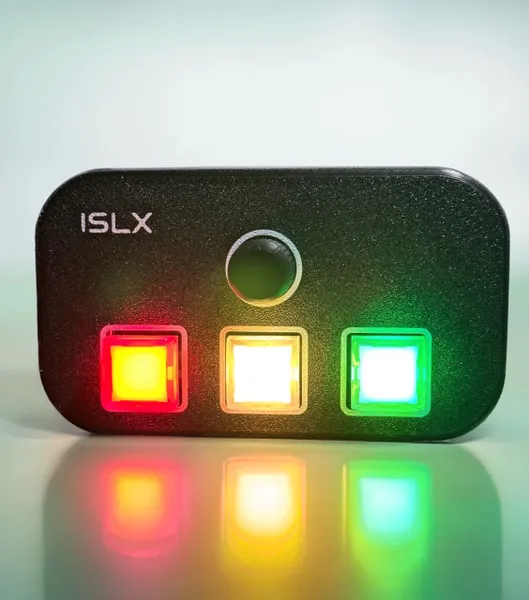
Designed and built by ISLX for theatre operators: broadcast-grade illuminated buttons, a rotary encoder and dual USB ports on the Dual Port model so one remote can drive a main and backup machine at once.
Need help setting up QLab? See our QLab programming service.
FAQ
Configurator questions
Which browsers does the configurator work in?
Google Chrome, Microsoft Edge and Opera on desktop (macOS, Windows, Linux and ChromeOS). Safari and Firefox do not support Web Serial, and it does not run on iPhone or iPad.
My remote does not appear in the device list.
Tick “Device not listed? Show all serial ports” next to the Connect button and try again. Early units report a USB ID the page does not recognise. Also try a different cable or USB port, since some cables only carry power.
Do I need drivers or an app?
No. The remote is class-compliant USB MIDI and the configurator runs entirely in your browser.
Do I need to press save?
No. Changes are written to the remote automatically. Use Save Profile if you want a copy of the setup on your computer.
Which models does it support?
The ISLX Dual Port USB MIDI Remote, the three-button single-port USB-C remote and the Single Button USB MIDI Remote.
Is updating the firmware safe?
Yes. Keep the remote connected while it updates. If your browser asks, choose the new port that appears for the bootloader, usually named Arduino Leonardo or similar.
Need a hand with your remote?
Tell us what software you are running and we will help you set it up.