
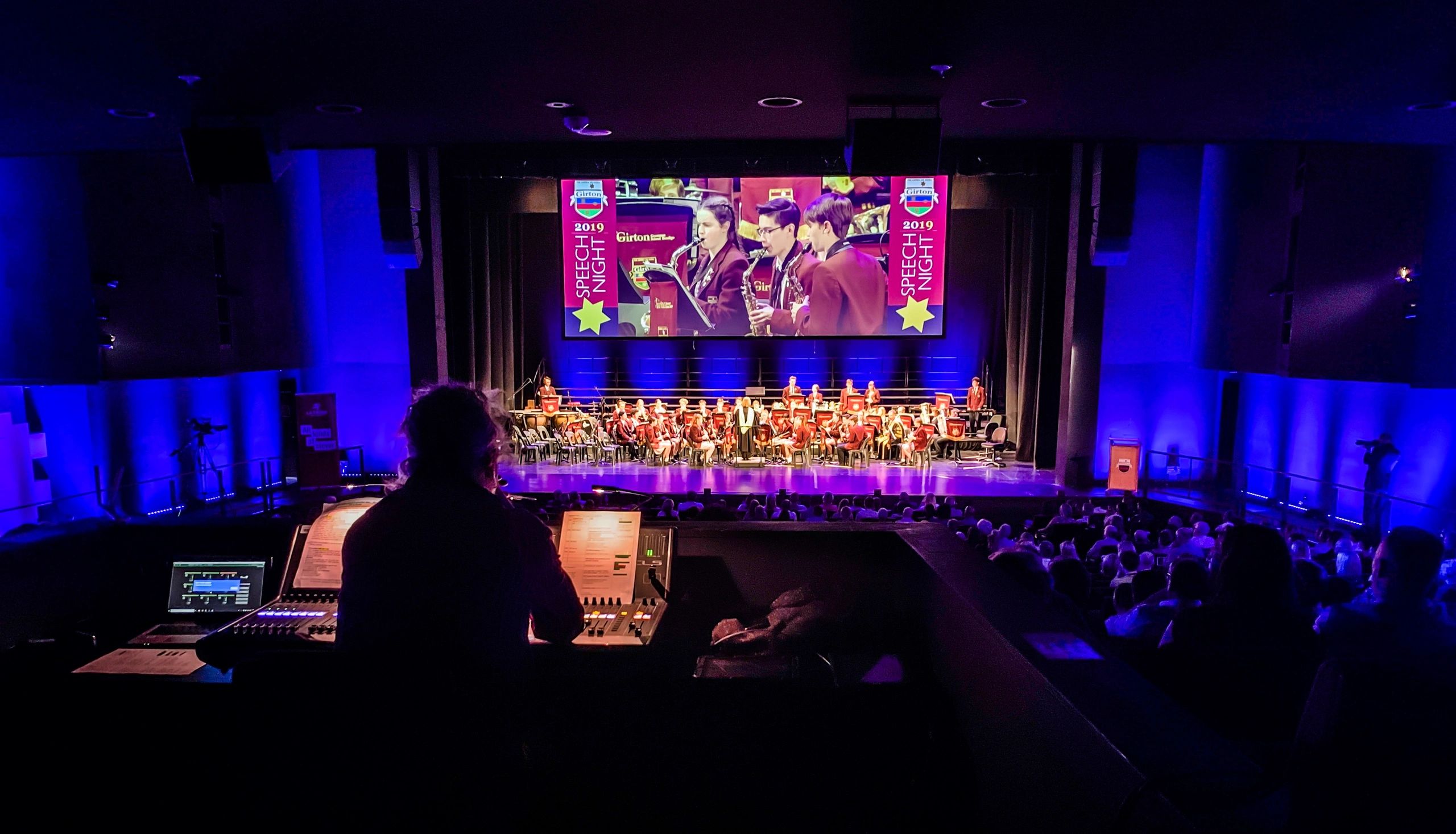
QLab Programming
QLab programming for theatre, events and installations.
Sound, video, projection mapping and show control programmed by an experienced QLab programmer. Workspaces that run cleanly every night, built in Bendigo for productions across Victoria and remotely Australia wide.
Hire a QLab programmer
A programmer who understands the whole show
QLab is the playback and show control software behind a huge number of theatre productions, events and installations. Getting it right means more than loading files: cues need to be well structured, levels balanced for the room, video sitting perfectly on the set, and everything firing in sync with lighting and stage management.
ISLX brings lighting, projection, audio and show control experience to every QLab workspace we build. From a school musical with a few hundred sound cues to multi-projector video and integrated lighting control, we program it, test it in the room and hand it over in a state your operator can trust.
At a glance
- QLab 5 sound, video and show control programming
- Remote programming Australia wide
- Onsite in Bendigo, Melbourne and regional Victoria
- MIDI and OSC integration with ETC Eos and other consoles
- Projection mapping for art installations and exhibitions
- Operators, training and season support
- Show Macs, projectors and GO buttons for hire
What we program
QLab programming services
Sound cue programming
Music, effects, atmospheres and playback built from your script or cue sheet, with levels, fades, routing and output patching set for your venue system.
Video and projection
Multi-screen and multi-projector playback, surface setup, edge blending, masking, image and video cues, and projection onto sets and scenery.
Show control and integration
QLab talking to the rest of the rig: MIDI and OSC to lighting consoles such as ETC Eos, network cues, timecode, and triggers from other systems.
GO buttons and remote triggering
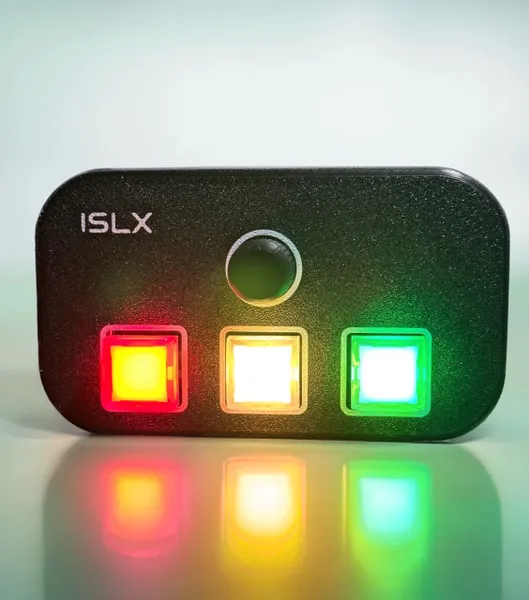
Hardware triggering for operators and stage management, including our own USB MIDI remotes, so the show runs from a physical button rather than a keyboard.
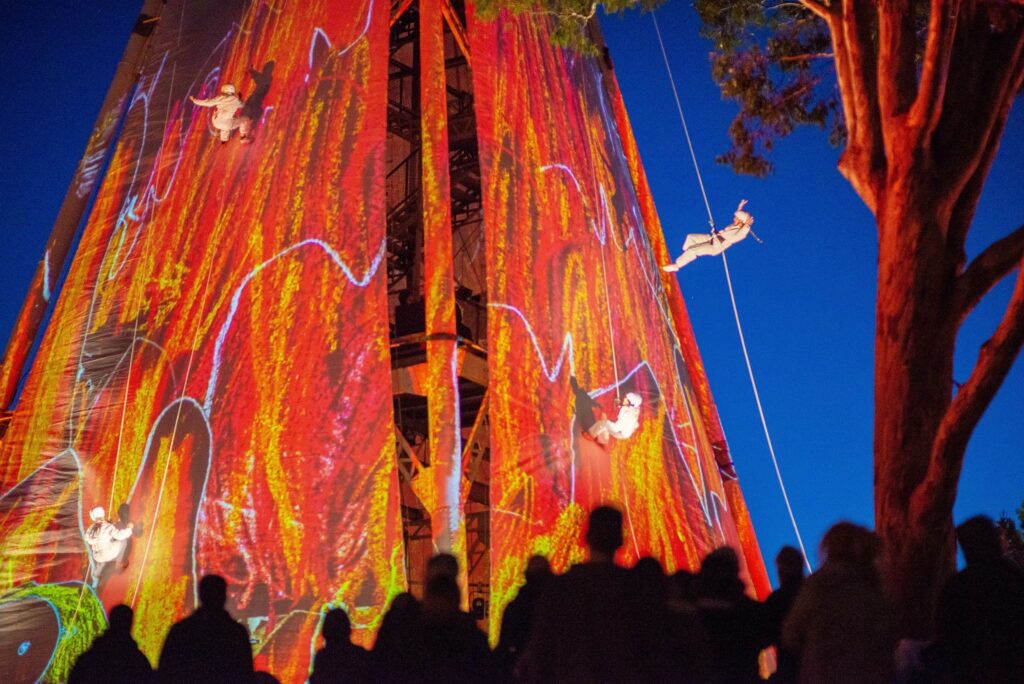
Projection mapping for art installations
QLab-driven projection mapping for artists, galleries, festivals and public art. Content mapped onto sculptures, facades and spaces, with looping, scheduled or sensor-triggered playback that runs unattended for the life of the work.
Operators, training and support
Programming through tech week, an operator for your season if you need one, or hands-on training so your own team can run and edit the show.
How it works
From cue sheet to opening night
1. Brief and cue list
Send us the script, cue sheet, sound and video files, and a few details about the venue system. We map out the cues, outputs and anything QLab needs to talk to.
2. Build the workspace
We build a clean, well-labelled QLab workspace with groups, notes and colour coding, ready to run on your Mac or on a show machine we supply.
3. Tech and rehearsals
We program and adjust levels, timings and video positions in the room, alongside your director, designers and stage management.
4. Handover and season
You get a tidy show file, a backup and an operator run-through. We can stay on as operator, or be on call remotely for changes during the season.
Made for QLab
Run the show from a real GO button
We design and build our own USB MIDI remotes for QLab and ETC Eos. Illuminated buttons and a rotary encoder give your operator a dedicated GO, stop and pause, and every input can be remapped in the free web configurator.
Pair a remote with our QLab programming and your operator gets a workspace and a control surface set up to work together.
Who we work with
Built for the people running the show
Theatre companies, schools, venues, event producers, artists, galleries, museums and festivals. Whether you need a full QLab build for a new production, a tidy-up of an existing show file before your season, or a programmer to sit beside your sound designer through tech, we can help.
Need more than QLab? We also provide lighting design, projection mapping, audio design and equipment hire, so the whole production can come from one team.
FAQ
QLab programming questions
Do you offer remote QLab programming?
Yes. Sound and video workspaces can be built remotely for productions anywhere in Australia, then refined in the venue or over a video call during tech. Onsite programming is available across Bendigo, Melbourne and regional Victoria.
Which version of QLab do you work in?
We program in QLab 5 and can open and update older workspaces. If your show needs features that require a paid QLab licence, such as advanced audio or video, we will tell you which licence suits the show before you buy.
Can QLab trigger our lighting console?
Yes. QLab can send MIDI or OSC to consoles such as ETC Eos, so a single GO can fire sound, video and lighting together. Lighting is our background, so we can set up both ends of the link.
Can you program video and projection in QLab?
Yes. We set up video outputs and surfaces, edge blend multiple projectors, map content onto scenery and build the video cues, and we can supply projectors and media machines from our hire catalogue.
Can QLab run projection mapping for an art installation?
Yes. QLab can map video onto sculptures, buildings and irregular surfaces across multiple projectors, and run it on a loop or a schedule without an operator. We have mapped festival and public art projects including Bloom and Illumin8 in Bendigo, and can look after projectors, content playback and the installation itself.
Do you supply the Mac and hardware?
We can. We have show computers, audio interfaces, projectors, networking and our own USB MIDI GO remotes available for hire, or we can program on the machine your venue already has.
Can you train our operator or students?
Absolutely. We regularly work with schools and community theatre companies, and can run a session so your operator understands the workspace and can make simple changes with confidence.
How much does QLab programming cost?
It depends on the number of cues, how much video is involved, and whether you need us onsite for tech. Send us your script or cue list and we will come back with a clear quote.
Need a QLab programmer for your next show?
Send us your script, cue list or a quick description of the production and we will come back with a plan and a quote.