
Description
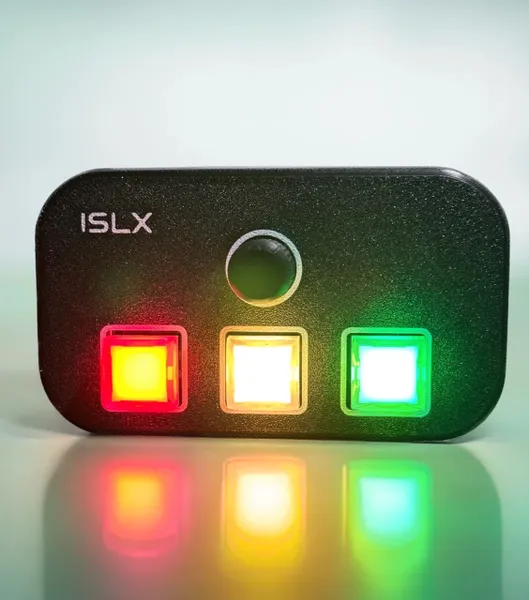
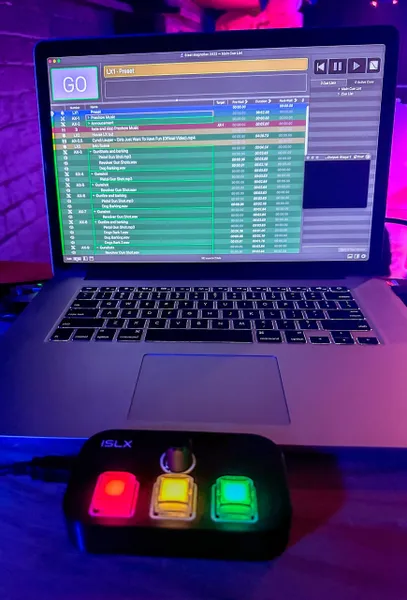
The ISLX Dual USB MIDI Remote is a versatile, compact controller built for professional lighting, audio, and automation systems. More than a MIDI box, every button and the encoder can send MIDI, OSC (direct to an ETC Eos console over USB), or USB keyboard shortcuts, so one unit drives QLab, Eos, media servers, and any software that responds to a keystroke.
With two independent USB MIDI interfaces, it talks to two computers at once, ideal for complex show control, redundancy, and professional production workflows.
Key Features
- Three output protocols, per input: set each button and encoder action to send MIDI (Note / Control Change / Program Change), OSC to ETC Eos over USB, or a USB keyboard shortcut with Ctrl/Shift/Alt/Cmd modifiers.
- QLab compatible via MIDI.
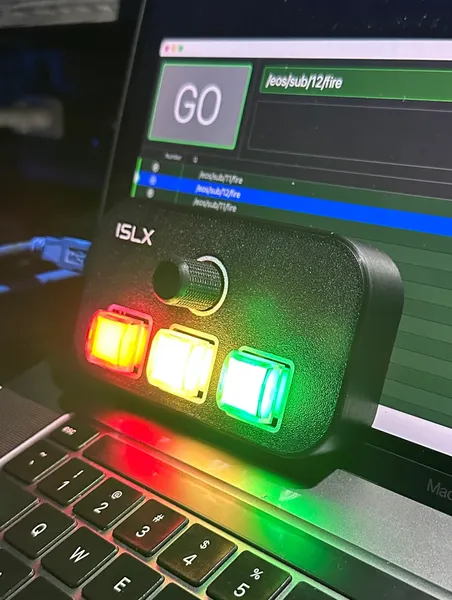
- ETC Eos ready: sends OSC commands (Go, Stop, Macro fire, Blackout, or your own) straight to an Eos console over USB, no network setup.
- Configurable button behaviour: Momentary, Toggle, or Separate (different message on release) per button.
- Advanced triggers: optional long-press and double-tap actions, plus adjustable debounce, hold, and double-tap timing.
- Genuine broadcast-grade buttons: 17 mm illuminated buttons with tactile feedback, including a finger homing notch on the primary button.
- Rotary encoder: indented encoder with integrated push button; rotate-left and rotate-right are independently assignable.
- RGB backlit buttons: full-colour LED buttons with software-controllable illumination and a configurable press-flash.
- Fully redundant control electronics: dual microcontroller architecture for maximum reliability.
- Dual USB-B connectors: connect to two independent computers simultaneously for redundant or dual-system operation.
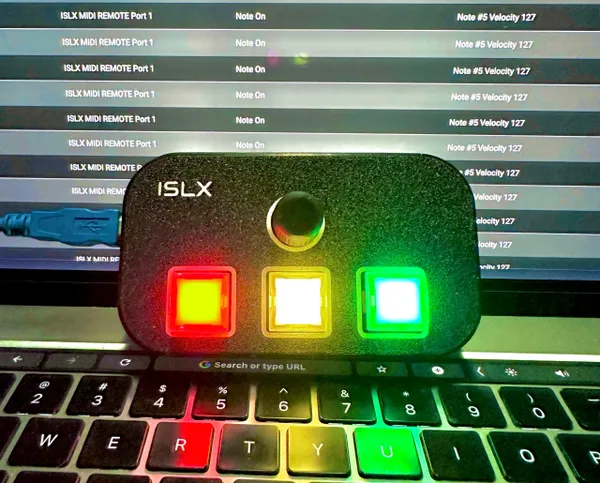
- Class-compliant USB MIDI: no drivers required on supported operating systems.
- Free web configurator: remap every input and set colours right in your browser at islx.com.au/midi-configurator; changes save to the device automatically. Nothing to install.
- Flexible mounting: flat base suits magnets or Velcro (not included) for desks, consoles, or workstations.
What’s Included
- 1 × ISLX Dual USB MIDI Remote
- 2 × USB cables: USB-A to USB-B (USB 2.0), or USB-C to USB-B (USB 2.0), depending on the option selected
Configuration
Every input is configured in your web browser with the free ISLX MIDI Remote Configurator. Plug the remote in over USB, click Connect (Chrome or Edge on desktop), and every change saves to the device automatically. With it you can:
- Set each input’s type: Note, CC, PC, OSC, or keyboard Key
- Choose button mode: Momentary, Toggle, or Separate
- Assign long-press and double-tap actions
- Pick each button’s colour and tune press timing and the press-flash
- Set the MIDI channel and overall button brightness
Default MIDI Output
Factory defaults: every input is fully reconfigurable (type, number, channel, and behaviour) in the Configurator.
| Control | Default MIDI Message |
|---|---|
| Button 1 | Note On – Note 1 – Velocity 127 |
| Button 2 | Note On – Note 2 – Velocity 127 |
| Button 3 | Note On – Note 3 – Velocity 127 |
| Encoder Button | Note On – Note 4 – Velocity 127 |
| Encoder Rotate Left | Note On – Note 5 – Velocity 127 |
| Encoder Rotate Right | Note On – Note 6 – Velocity 127 |
Lighting the Buttons from Software
Your software can light the LEDs as status feedback by sending MIDI to the controller (USB Port 1 only).
| Function | MIDI Message |
|---|---|
| Button colour | Note On, ch 1–3 (button 1–3): note = hue (0 = red, ~42 = green, ~85 = blue), velocity = saturation (127 = vivid, 0 = white) |
| Global brightness | Program Change, ch 4 (value 0–127) |
| Per-button white level | Program Change, ch 11 / 12 / 13 (button 1 / 2 / 3, value 0–127) |
Using with ETC Eos (OSC over USB)
Set an input’s type to OSC in the Configurator, choose a preset (Go, Stop, Macro fire, Blackout, …) or type your own command (e.g. /eos/key/go_0), then connect to the Eos console by USB. Eos detects it automatically, with no network configuration required. Use either the Configurator or Eos at a time, as both share the same USB connection.
QLab 5
A QLab 5 starter workspace is available for download: our Downloads page
Shipping Information
All prices are listed in AUD (Australian Dollars). Any applicable import duties, taxes, customs fees, brokerage charges, or other costs imposed by your country’s authorities are the sole responsibility of the purchaser. These charges are not included in the purchase price or shipping cost. Buyers are responsible for checking and complying with their local import regulations before placing an order.
Reviews
There are no reviews yet.